Hand them the headset. Keep the remote.
Tap a tile on your iPhone and that experience opens on the Apple Vision Pro your guest is wearing. One more tap closes it for the next guest.
A menu bar app for macOS 15 or later on Apple silicon, working through Xcode with your headset paired and Developer Mode on.
Your guest is inside the experience, and the controls are with them.
At a first Apple Vision Pro demo, the person who knows the headset is the one not wearing it.
- 01You can watch, but you cannot steer. Even with their view mirrored to your phone, you coach them toward a menu by voice while they look somewhere else.
- 02The gestures are new to them. A first-timer spends the first minutes learning to pinch instead of meeting a dinosaur.
- 03Every guest inherits the last one. Windows left open, a film paused halfway, an app on the wrong page.
Vision Test Drive moves the controls to your hand. You choose what opens and when, from a phone you are already holding, and your guest looks up to find it there. When they are done, one tap closes every app on the headset that is not part of visionOS, your own builds included, plus Photos and Apple's demo apps.
Four steps, the first two once.
Put it in your Mac's menu bar
Install Xcode, pair your Apple Vision Pro once in its Devices and Simulators window with Developer Mode on, then open Vision Test Drive. It lives in the menu bar and runs the remote on your own network.
Pair your iPhone or iPad
Scan the pairing code the menu shows as a quick response (QR) code, or open the remote's address and type the six digits. Add it to your Home Screen and it opens as Test Drive, full screen.
Tap a tile
The experience opens on the headset your guest is wearing. The status at the top tells you when the headset is ready, locked, or out of reach.
Reset for the next guest
One button closes every app on the headset that is not part of visionOS, your own builds included, plus Photos and Apple's demo apps, even while the headset is locked.
A running order in your pocket.
This is the real remote from the shipping app.
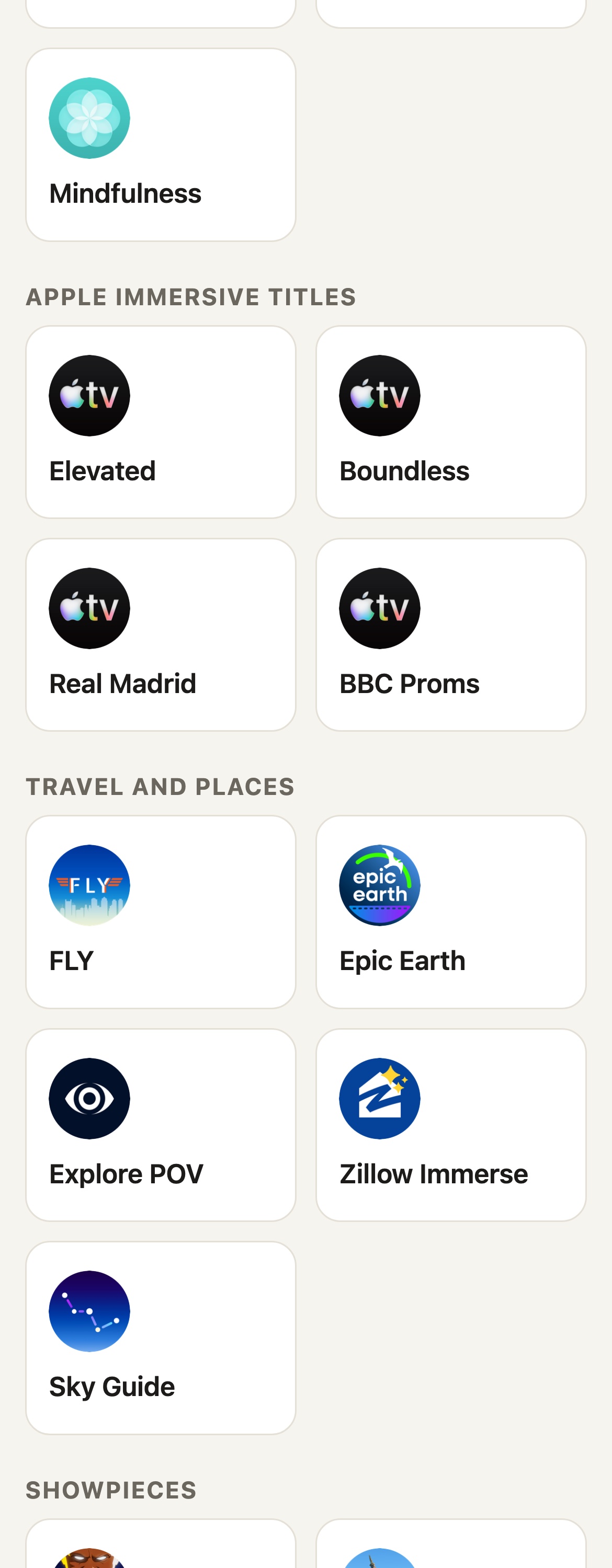
- Headset readyThe badge asks the headset itself every 15 seconds whether it is ready, locked, or out of reach.
- Start hereThe opening run of a classic demo, in order: Photos, Spatial Gallery, an Apple Immersive film in the TV app, Encounter Dinosaurs, and a minute of Mindfulness.
- Apple Immersive titlesElevated, Boundless, Real Madrid, and BBC Proms open straight to the film inside the TV app, so nobody hunts through a catalog.
- Travel and places, Showpieces, and every other appThe running order continues with Travel and places and Showpieces, then every app installed on the headset with a search box, your own builds included.
- Reset for the next guestThe last button at the bottom of the remote.
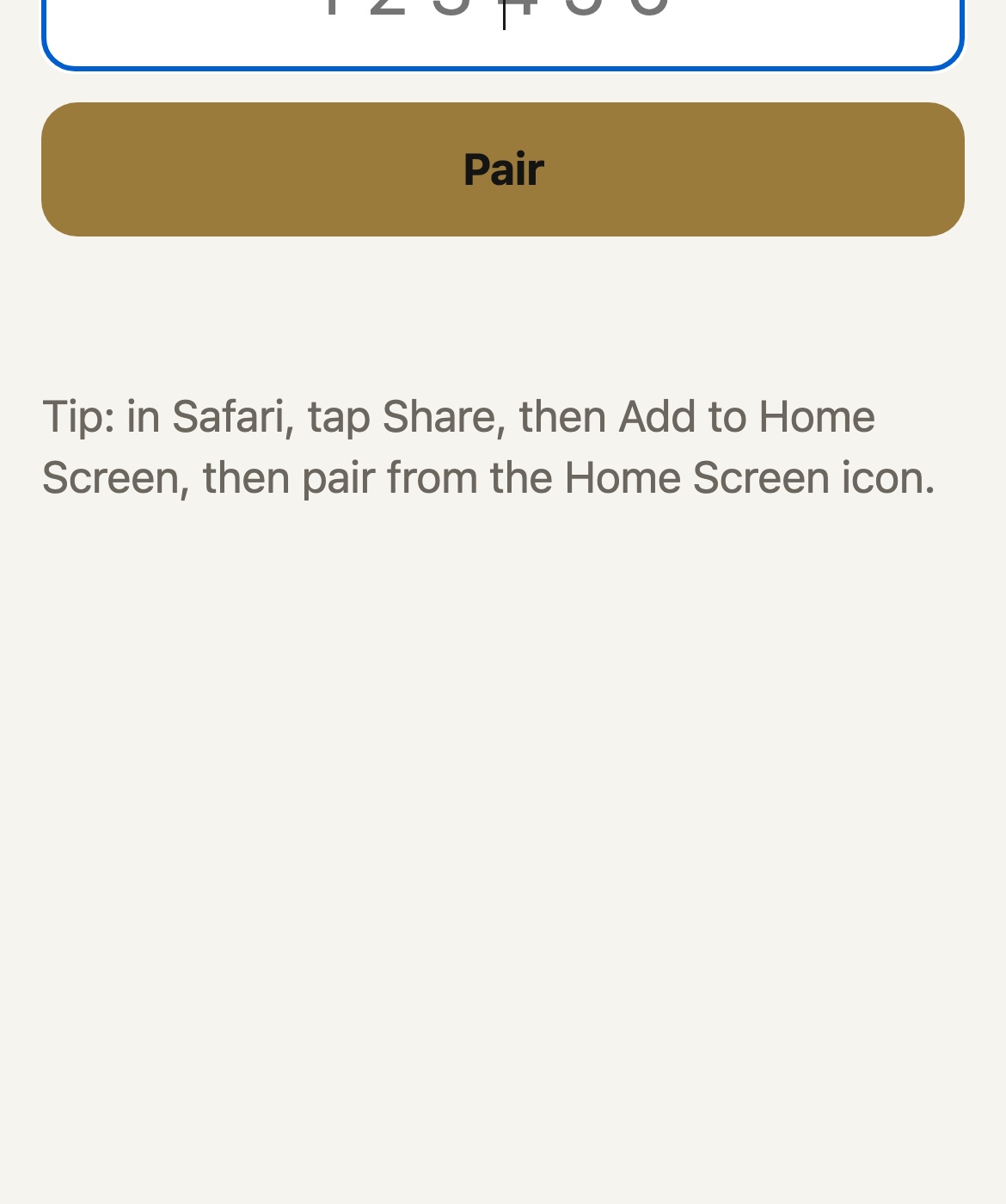
Pairing takes one code.
Type or scan the code once and that phone or iPad stays paired. Pair a colleague's phone too, and every paired device runs the same headset.
A 15-minute running order.
Here is one way to run it, built from the remote's sections. Play them in any order you like.
Memories, life-size
Open Photos and Spatial Gallery first. Spatial photos and panoramas wrap around the room before anything else happens.
Front row of a film
Apple Immersive titles open straight to the film: the flight in Elevated, the pitch in Real Madrid, the hall at the BBC Proms.
A dinosaur at arm's length
Encounter Dinosaurs puts something alive in the room. You tap it while you watch their face instead of a menu.
Somewhere new
Travel apps like FLY and Epic Earth take them across landscapes and cities. They sit in the remote's Travel and places section, next to Zillow Immerse and Sky Guide.
Something to hold
Puzzling Places and JigSpace put objects in their hands, a good moment to let them try the gestures.
Reset, next guest
One tap closes every app that is not part of visionOS, plus Photos and Apple's demo apps, and the remote tells you how many it closed.
Anyone who shows Vision Pro to someone else.
Founders and developers
Open your own visionOS app for an investor, a partner, or a press visit with one tap, then show the Apple titles that set the stage for it. Your build sits in the remote's full app list beside everything else on the headset.
Showrooms and events
Run a line of guests through the same 15 minutes. A staff member holds the remote, the apps close between visitors, and a second phone can be paired for the next shift.
Family and friends at home
Pass the headset around the living room and keep the remote in your hand. Grandparents meet the dinosaurs, kids find constellations in Sky Guide, and you open each one from your phone.
Guest User hands over the headset, and Vision Test Drive decides what opens on it.
Apple Vision Pro's own Guest User mode hands the headset to someone else and mirrors their view to your iPhone. Here is what each one does, read from Apple's Guest User support page on October 17, 2026.
| What you want in a demo | Vision Test Drive | Guest User on its own |
|---|---|---|
| Open an experience for your guest | You tap a tile on your iPhone and it opens on the headset | Your guest opens apps themselves from Home View |
| Start an Apple Immersive film | One tap opens Elevated, Boundless, Real Madrid, or BBC Proms straight to the film | Your guest finds the film inside the TV app |
| A running order for the demo | Start here, Apple Immersive titles, Travel and places, and Showpieces | Home View, with the apps you allowed |
| Every app on the headset, searchable from your phone | Yes, your own builds included | On the headset only |
| Price | Free | Included with Apple Vision Pro |
Guest User keeps your own data private while someone else wears the headset, and its View Mirroring shows you what they see.
The remote runs on your Mac and your Wi-Fi, and answers only to devices you pair.
Here is exactly how it decides who may use it.
Paired devices only
A phone or iPad uses the remote only after pairing with the six-digit code from your menu bar, typed or scanned. Five wrong guesses spend the code, and the address that made them waits 10 minutes before it can try a new one. You can issue a new code from the menu at any time.
A pass per device
Each paired device holds its own pass in an HttpOnly, same-site cookie. Your Mac keeps its own master key to itself. The menu lists every paired device, with one item to issue a new code and one to unpair them all.
Answers to your Mac's names
The remote turns away any request addressed to a name other than your Mac's own network names and addresses, which blocks the Domain Name System (DNS) rebinding trick a web page elsewhere could use to reach it through your browser.
Opens only apps on the headset
A tap launches a tile from the running order or an app the headset reports as installed. Any other request is turned away before it reaches the headset.
Signed and notarized
The Mac app is signed with Developer ID and notarized by Apple. It installs an update only when the update carries the same developer signature.
Built on Apple's own tools
Launches and resets go through the device tools in Xcode, the channel developers use to run their own apps on the headset.
What it keeps, and where.
On your Mac. The list of paired devices (a name like "iPhone" and when it was last used), the tiles in your running order, and a short log of what opened and when. They live in ~/.config/vp-demo on your Mac.
On the headset. Only the apps you open, opened the way Xcode opens them.
With Epiphani. The Mac app checks Epiphani's update feed for new versions. We do not collect what you demo or who you demo it to. This website counts visits and clicks with PostHog and honors Do Not Track.
Free.
Vision Test Drive is free to download and use: the menu bar app, the remote on every phone and iPad you pair, and every update.
Before your first test drive.
Do my guests need to learn the gestures first?
You open each experience from your phone, so your guest never has to find it in a menu. When they are ready to try the gestures inside an app, they can, and the next experience is still one tap away.
Can someone else on the Wi-Fi open apps on my headset?
Only a phone or iPad you pair with the six-digit code from your Mac's menu bar can use the remote. Wrong guesses are limited, you can issue a new code at any time, and the menu lists every paired device with one item to unpair them all. The remote also turns away requests addressed to any name other than your Mac's own.
What do I need?
A Mac with Apple silicon on macOS 15 or later, with Xcode installed and your Apple Vision Pro paired to it once in Xcode's Devices and Simulators window, Developer Mode on. Then an iPhone or iPad on the same Wi-Fi as the Mac.
What does Reset for the next guest close?
Every running app that is not part of visionOS, App Store apps and your own builds alike, plus Photos and Apple's demo apps: TV, Spatial Gallery, Encounter Dinosaurs, and Mindfulness. It works even while the headset is locked, and the remote tells you how many apps it closed.
Can I show my own visionOS app?
Yes. Every app installed on the headset appears on the remote with a search box, including your own builds, so a founder can open their app for an investor with one tap.
Is there an app to install on my iPhone?
No install needed. The remote opens in Safari. Tap Share, then Add to Home Screen, and it lives on your Home Screen as Test Drive, full screen, like any app.
How does it know when the headset is ready?
It asks the headset itself every 15 seconds. Ready means it is unlocked and can open apps, locked means it needs to be put on and unlocked first, and out of reach means the Mac cannot find it on the network.
Does it open at login?
Yes. The first launch turns on Open at Login, and you can switch it off or on again from the menu.
Your next guest is one tap away.
Download Vision Test Drive for your Mac, pair your iPhone, and open the first experience for your guest.
Download for MacmacOS 15 or later on Apple silicon, with Xcode and your headset paired in Developer Mode. Download details